Services Work Who We Serve Insights Schedule a consultation
← All work Empire Command · Utility Construction

One operations platform, and a brand to carry it, for a utility contractor’s scheduling, field work, and billing

A utility construction contractor was coordinating estimates, schedules, crews, subcontractors, and documents across spreadsheets, email, and paper. We built a single platform that brings it together, and gave it an identity of its own: Empire Command.

1 platform
replacing spreadsheets, email, and paper
Instant
invoice generation from real-time field data
  1. Diagnose

    Find where the work falls through

    Project schedules, crew assignments, field reports, construction drawings, and invoices lived in separate places. Billing depended on manually reconciling field activity, and leadership had no real-time view across projects.

  2. Design

    One system of record, and a brand to carry it

    We designed one set of records for the office and the field, so a job moves from schedule to field report to invoice without being re-entered. The platform also needed a name and an identity, so we designed Empire Command: a safety-orange mark, a closed four-color palette, and three typefaces, each with one job.

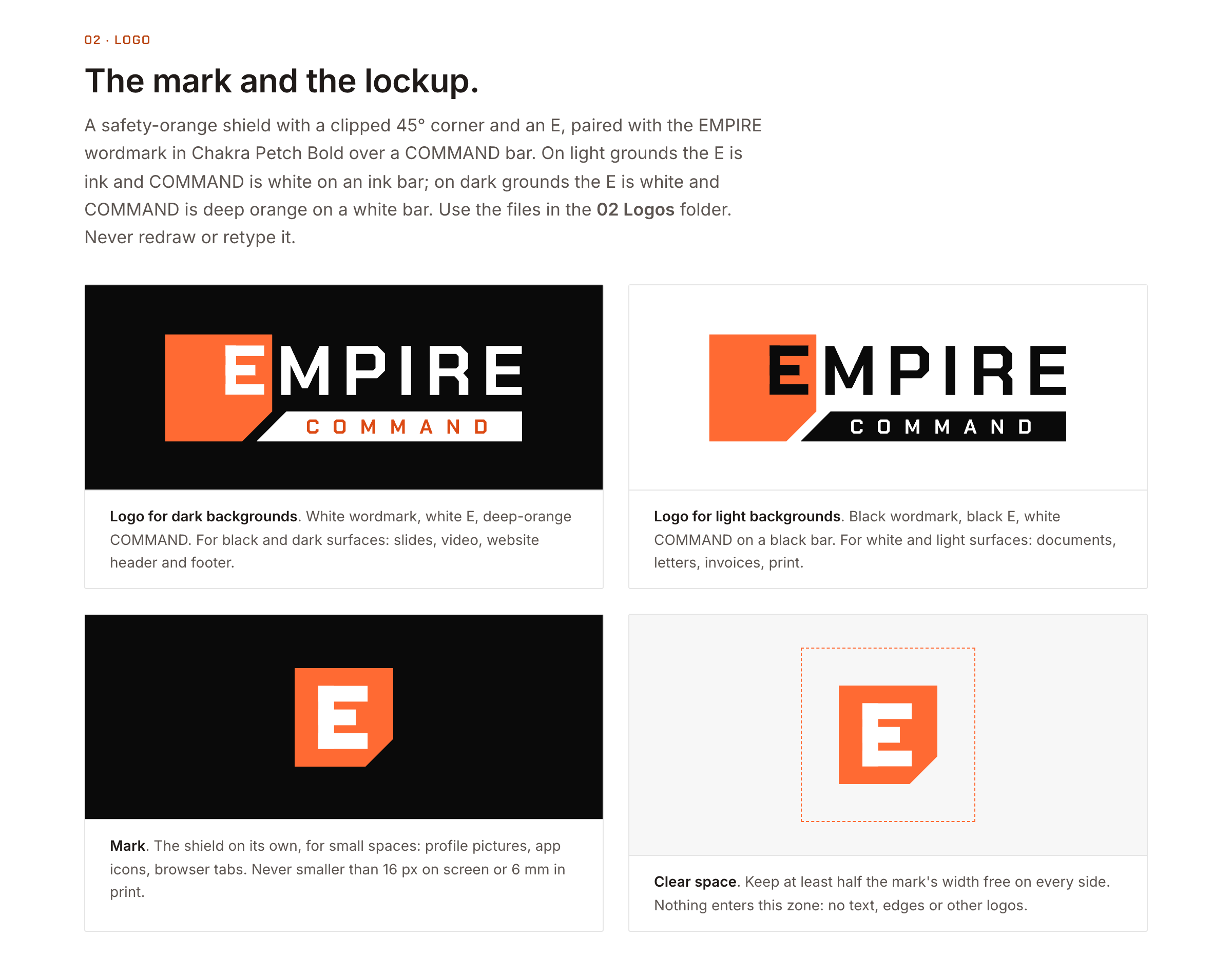
    Empire Command logo sheet: the orange shield mark with an E beside the EMPIRE wordmark over a COMMAND bar, shown on dark and light backgrounds, the mark alone, and its clear space
    Logo: lockups for dark and light backgrounds, the mark, and clear space
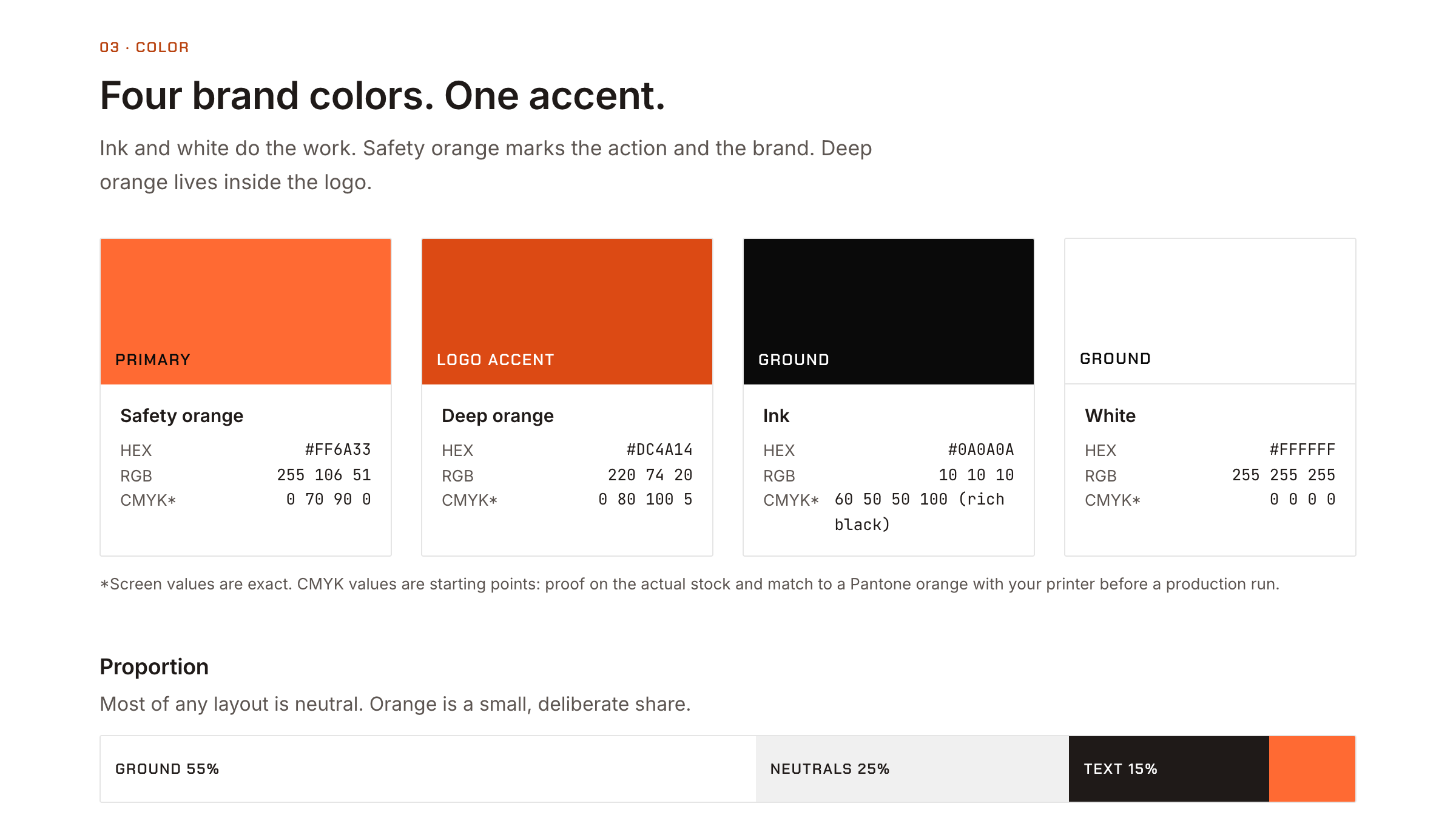
    Empire Command color sheet: safety orange, deep orange, ink and white swatches with hex, RGB and CMYK values, and a proportion bar showing mostly neutral layouts with a small share of orange
    Color: four brand colors, one accent, and how much of each a layout uses
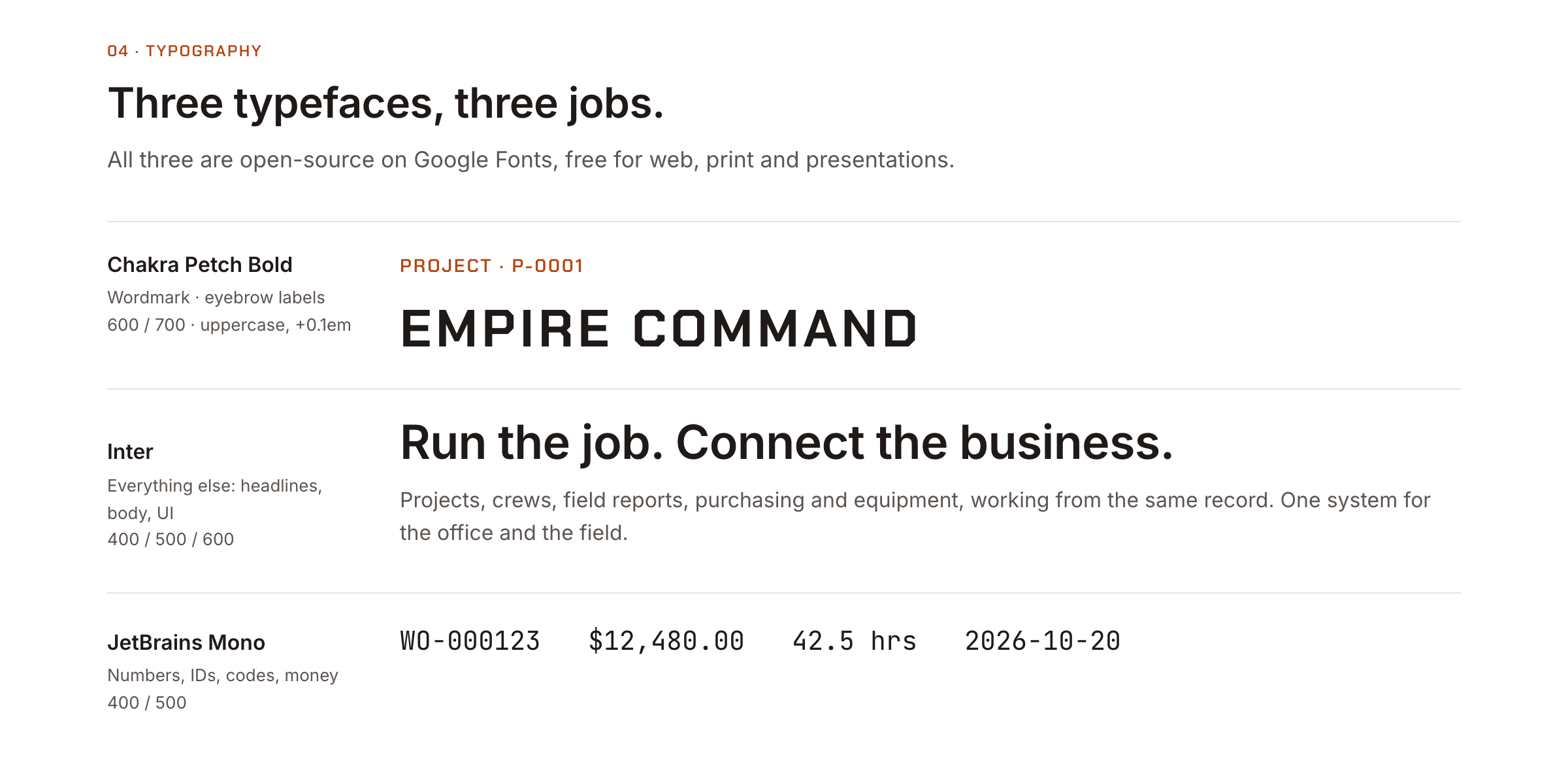
    Empire Command type sheet: Chakra Petch Bold for eyebrows, Inter for headlines and body, and JetBrains Mono for numbers, IDs and money
    Type: Chakra Petch for labels, Inter for everything else, JetBrains Mono for figures
  3. Implement

    Build it for the office and the field

    The office works in the Empire web app, in English or Spanish. Crews use a native mobile app for time, equipment checkout, and tasks. Both read and write the same records.

    • Unified people, crews, schedules, and time entry in a single system
    • Built field operations tools for daily reports, work orders, approvals, and tasks
    • Added project scheduling with Gantt, month, week, and day views across all jobs
    • Brought construction drawings in-platform, with markup tools that generate tasks directly from the plans
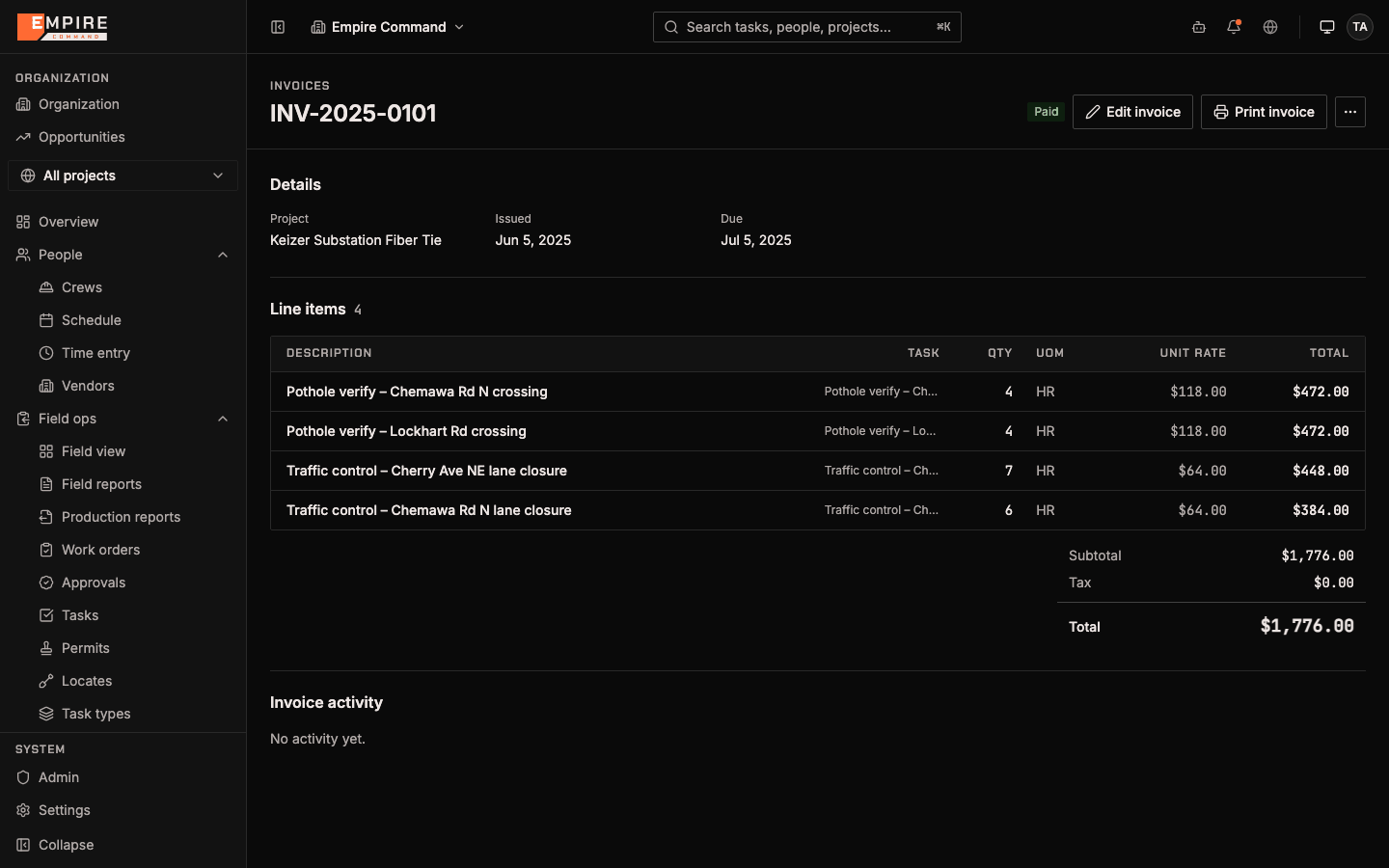
    • Connected field data to finance, so invoices, purchase orders, and rate sheets generate from real activity
    • Delivered the brand as a working kit: logo files, fonts, email signatures, social images, slide and document templates, and video
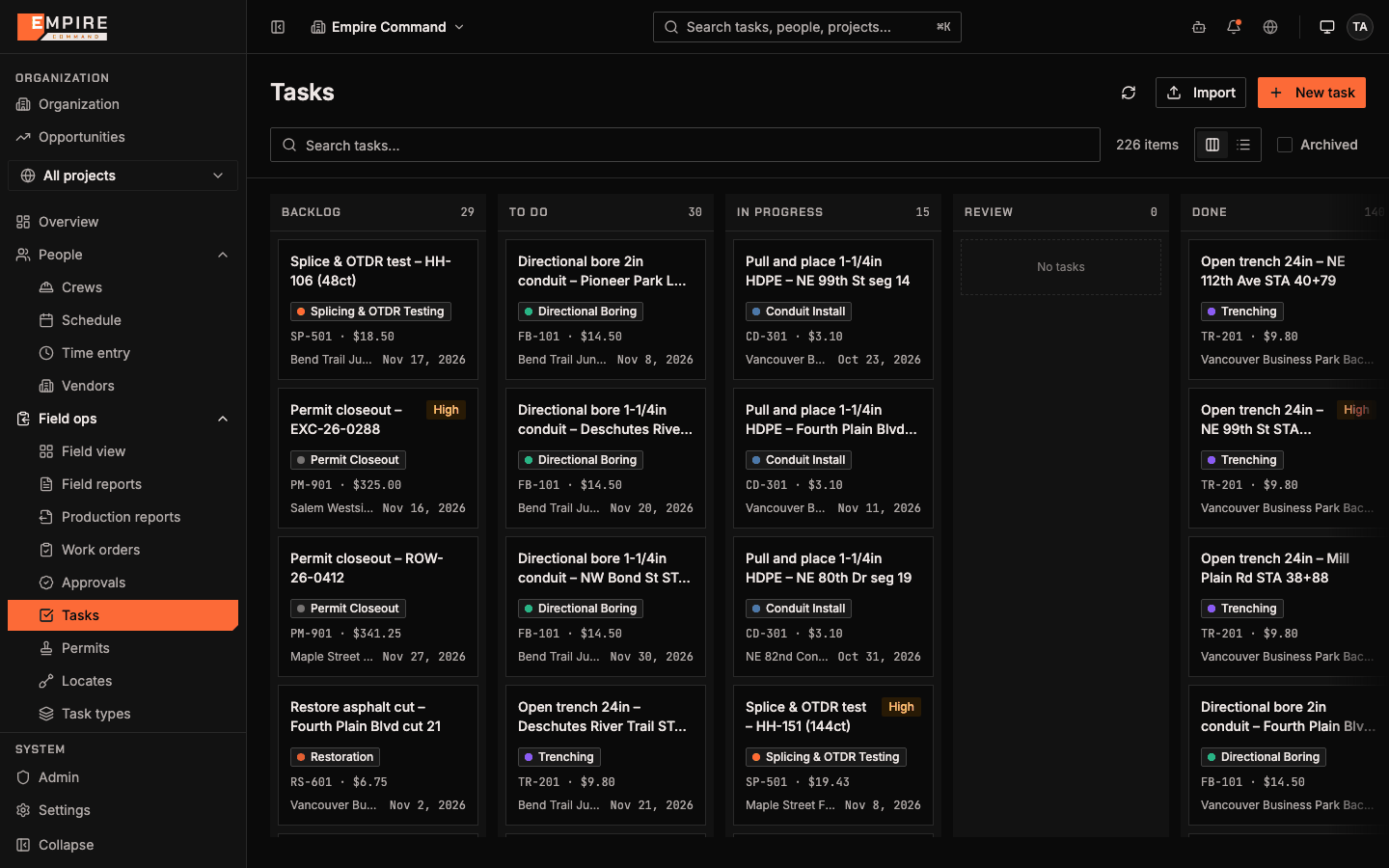
    Task board with backlog, to do, in progress, review and done columns, each card showing the task type, rate code, project and due date
    Field tasks across every active job, from backlog to done (sample data)
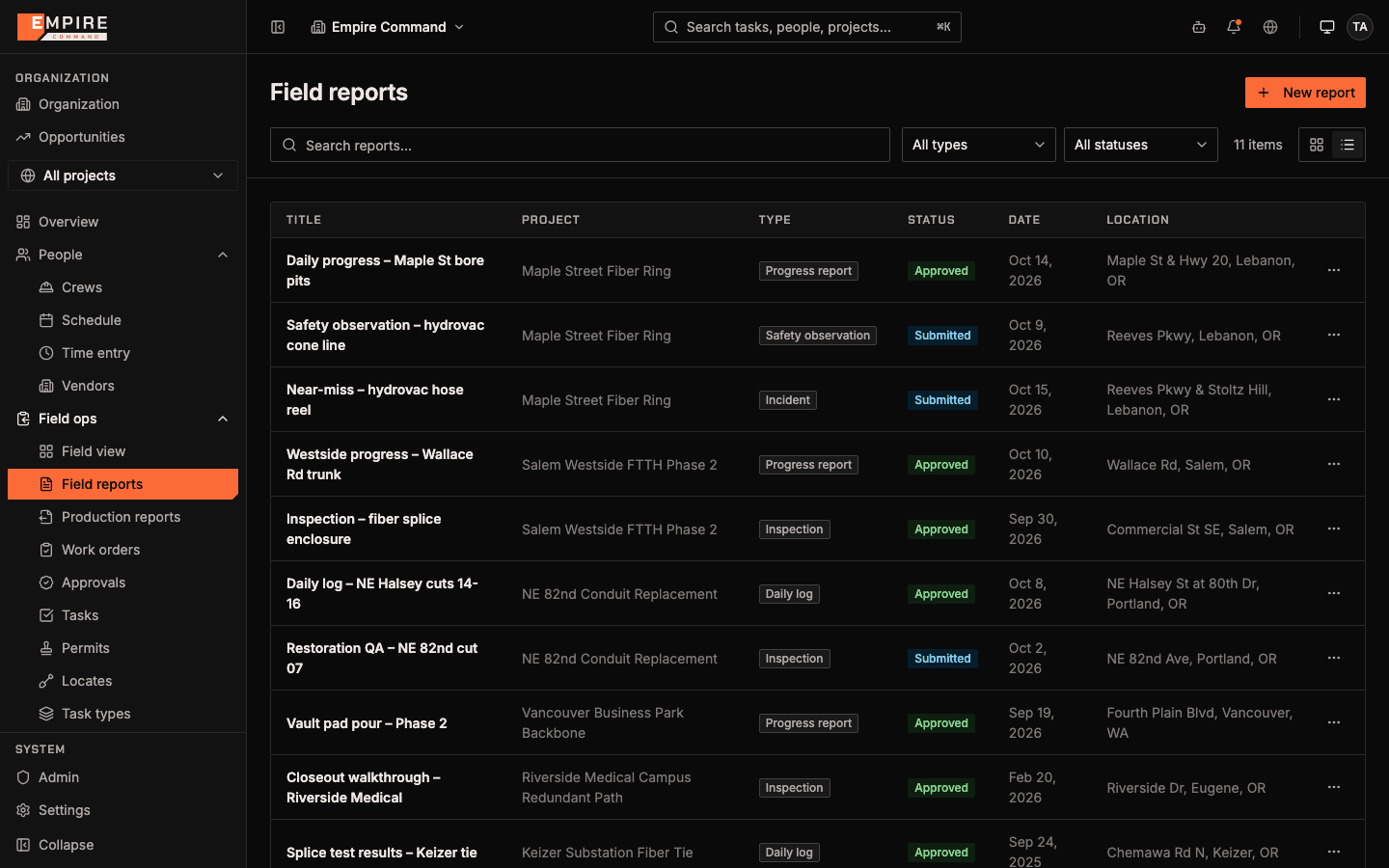
    Field reports list with daily progress, safety observation, incident and inspection reports, each with project, status, date and location
    Field reports from every crew, with status and location (sample data)
    Paid invoice with line items for pothole verification and traffic control, each linked to the task it came from, with quantity, unit rate and total
    Invoices built from completed field tasks and rate sheets (sample data)
  4. Optimize

    Let real activity drive the books

    Invoices, purchase orders, and rate sheets now generate from what crews actually did in the field, and leadership sees every job in one place instead of reconciling spreadsheets, email, and paper.

Process design Software and automation Market growth
Grow revenue, not overhead.

Running on a patchwork like this?

Book a 30-minute consultation. You’ll talk with someone who builds these systems, not a salesperson, and leave with an honest read on the problem, your options, and whether we’re the right fit.